- Site Administration - in the header menu
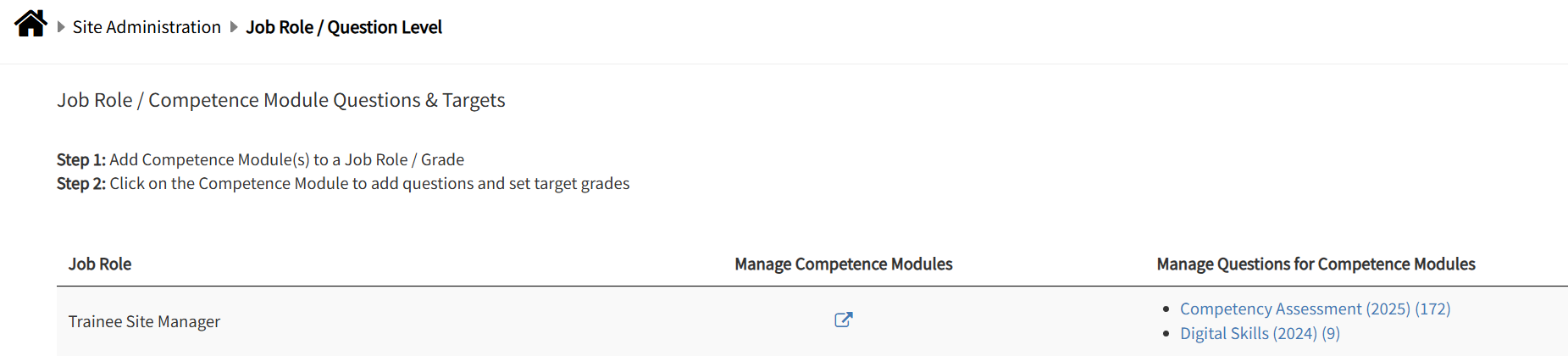
- Job Role / Question Level tile
- search for the Job Title you wish to update
- click the relevant competency survey for that job title
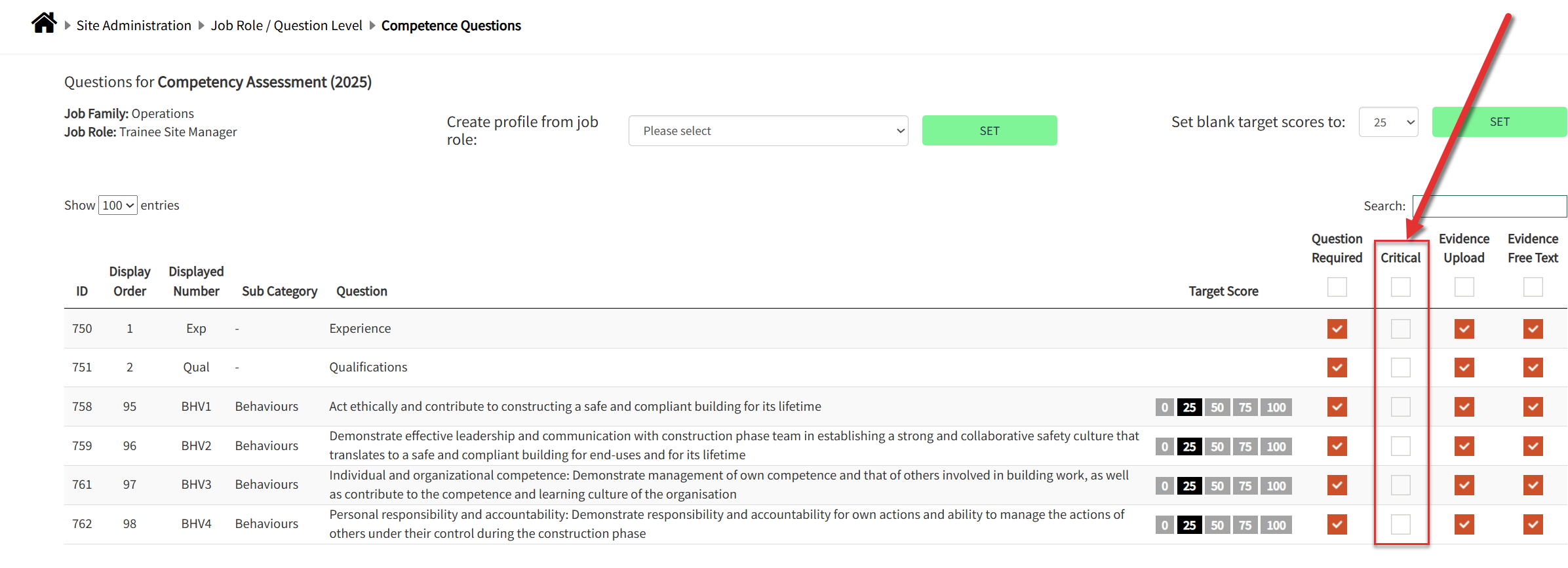
- Search for the specific question, category or sub-category you are looking to make critical
- place a tick in the selection box in the column. NOTE: the question must be a required question otherwise it will not appear on the survey or report for the specific job role.
NOTE: If you are looking to make a question or set of questions critical for every job role then it will be quicker for our admin team to add this in the back-end. Please contact your support manager to arrange this.
Was this article helpful?
That’s Great!
Thank you for your feedback
Sorry! We couldn't be helpful
Thank you for your feedback
Feedback sent
We appreciate your effort and will try to fix the article