- Click on My performance appraisal tab
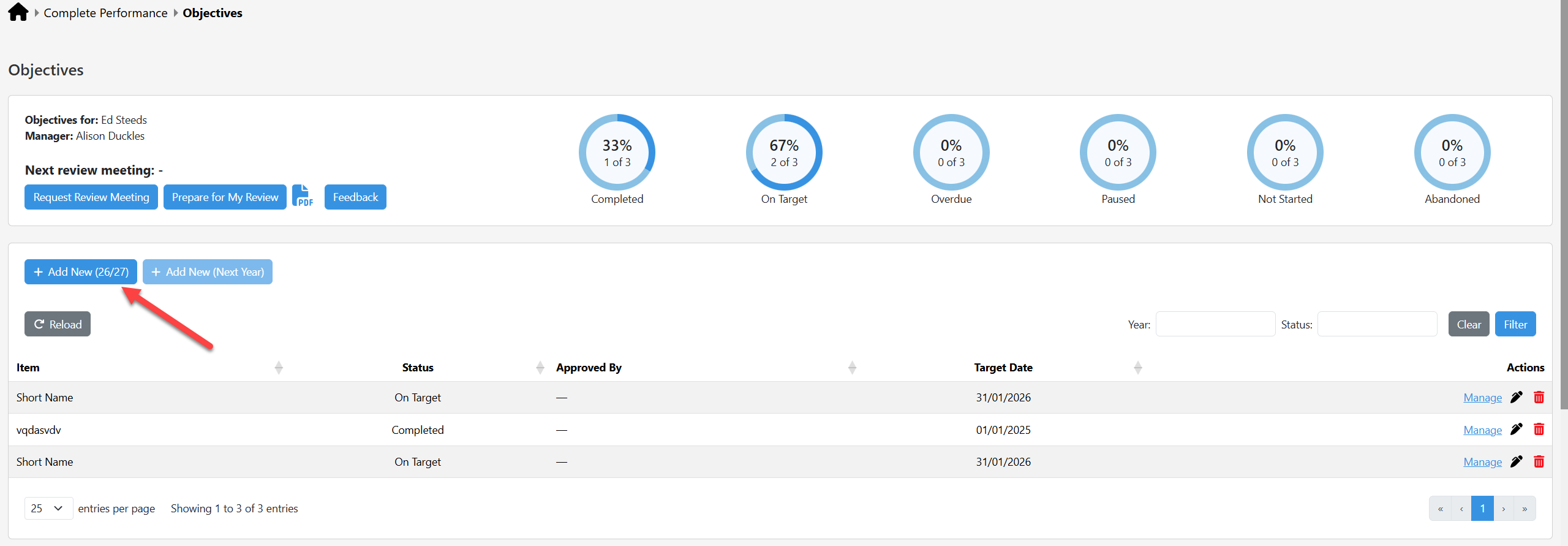
- Click on Add New (make sure that the year is correct - near year end you may prefer to create a new aobjective for Next Year)
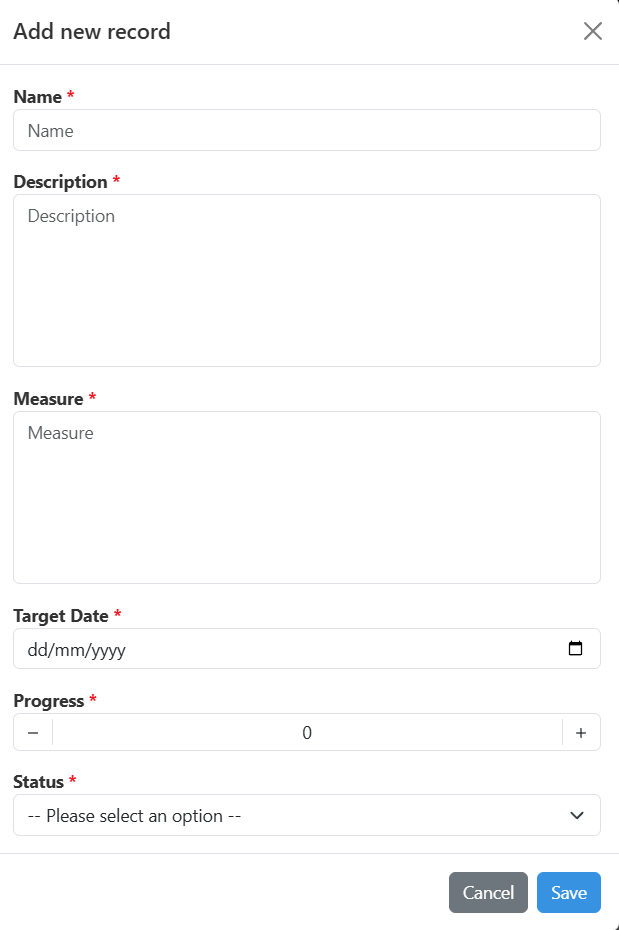
- Add information about the new objective in the pop-up and click Save
Was this article helpful?
That’s Great!
Thank you for your feedback
Sorry! We couldn't be helpful
Thank you for your feedback
Feedback sent
We appreciate your effort and will try to fix the article