Emails can be sent by the following triggers:
- Request to Complete Competence Assessment
- Notification to Manager: Assessment Submitted
- Notification to Second Reviewer
- Manager Thank You
- Reminder from Manager or Admin
- Notificationto User: Manager Validation Complete
Click on Site Admin and select Email Templates.
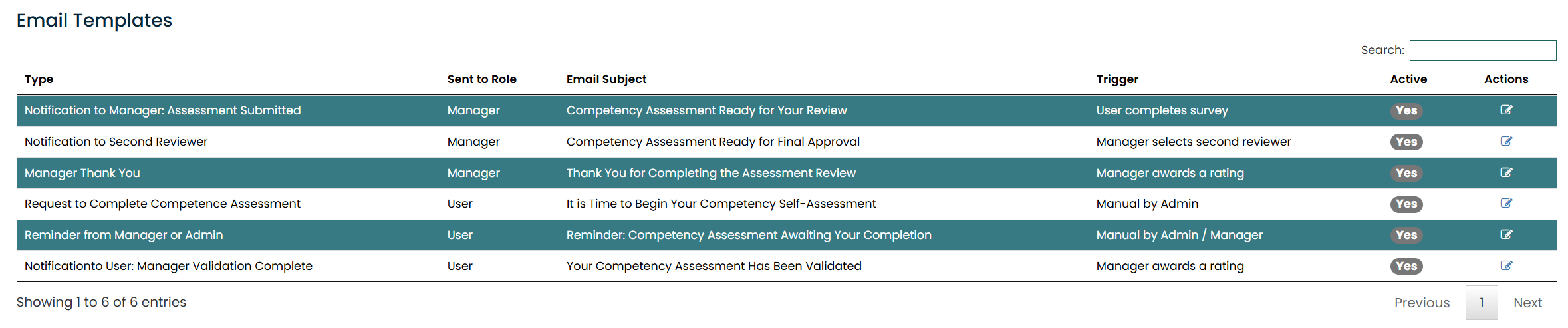
Select the Action icon for the email you wish to edit.
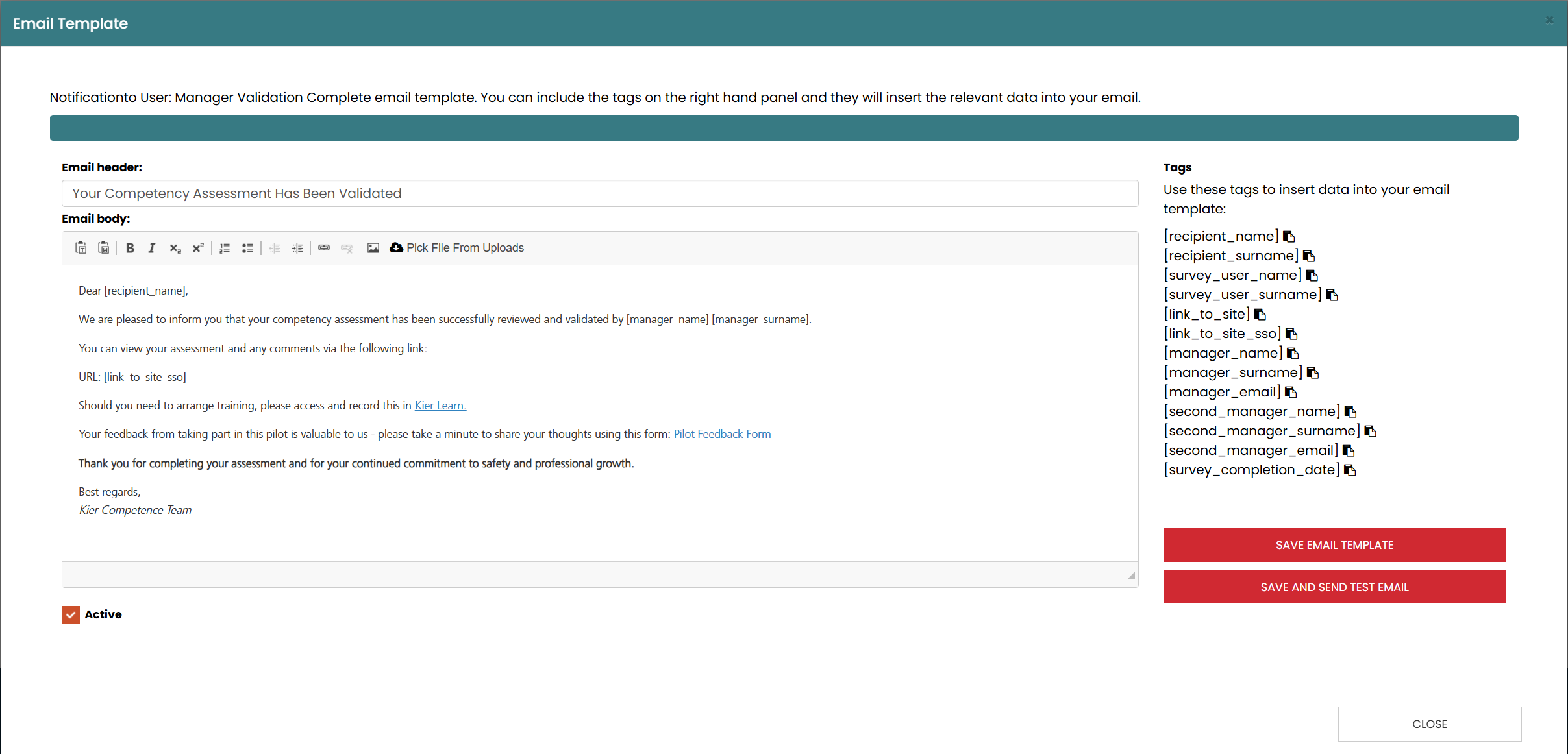
Amend the email content and add/amend tags by copying the tags that you wish to insert and paste into the required place in the email.
Was this article helpful?
That’s Great!
Thank you for your feedback
Sorry! We couldn't be helpful
Thank you for your feedback
Feedback sent
We appreciate your effort and will try to fix the article