1. Click on Site Admin
2. Click on Users
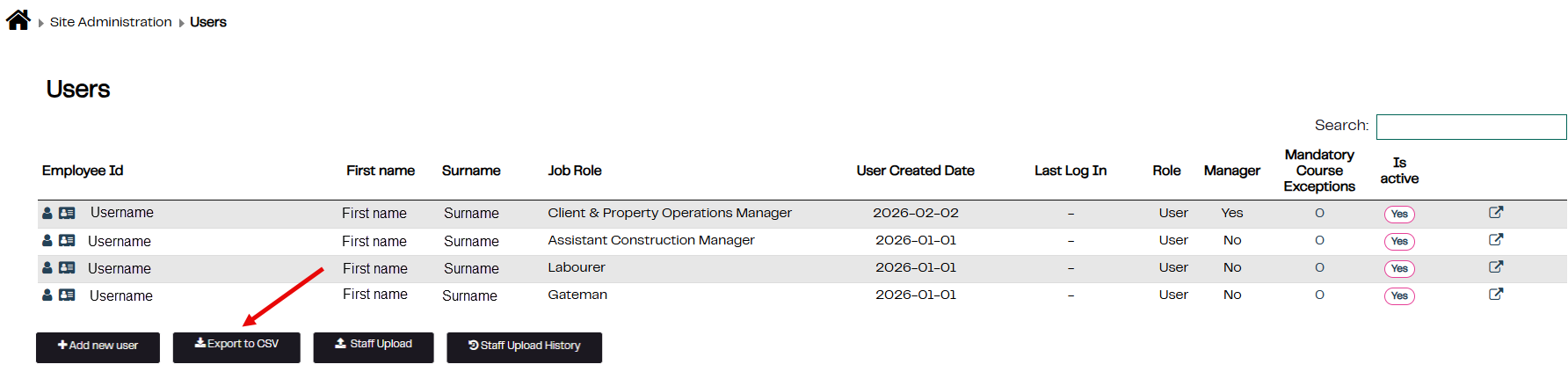
3. To Export all users to CSV click on the Export to CSV button
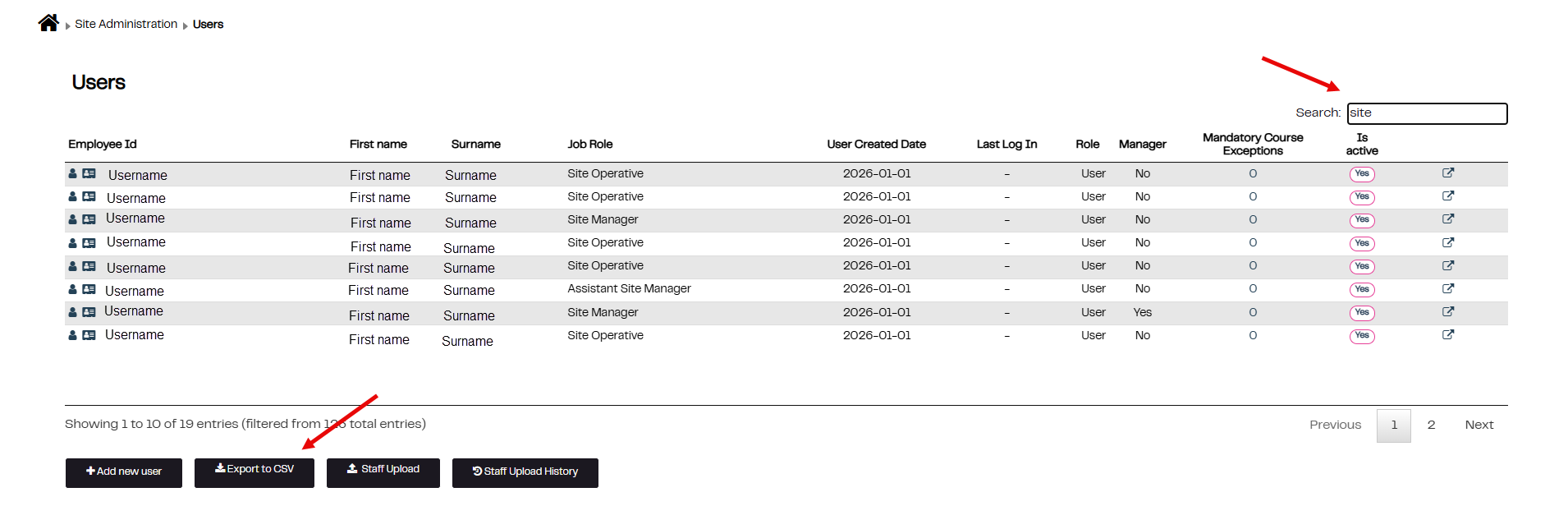
4. To Export specific information e.g. Job Roles, enter your search criteria in the search box and then click on the Export to CSV button
5. The CSV report will be downloaded.
Was this article helpful?
That’s Great!
Thank you for your feedback
Sorry! We couldn't be helpful
Thank you for your feedback
Feedback sent
We appreciate your effort and will try to fix the article